System visibility
View supported solar-generation, energy-flow and operating information from your connected system.


Connected solar monitoring
Connect a compatible iStore inverter to your Wi-Fi network and access supported solar, battery and system information through the iStore monitoring platform.
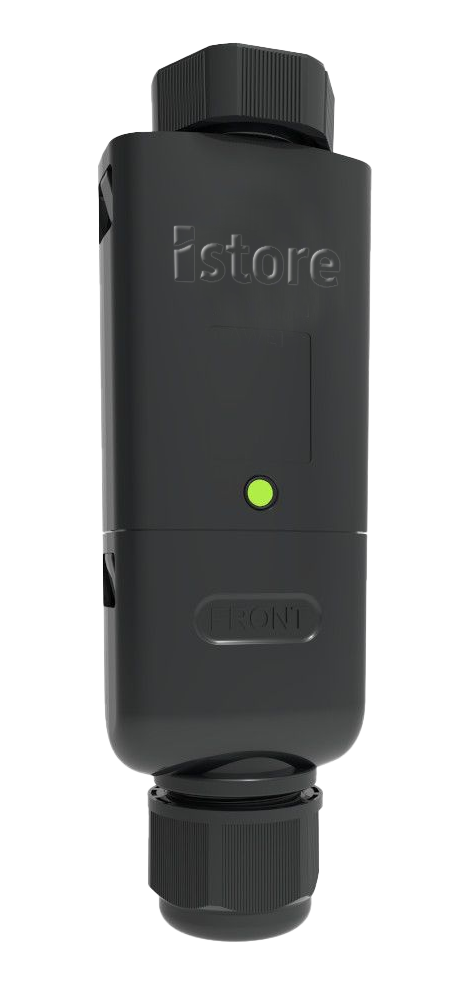
Connected energy
The iStore WLAN Dongle creates a wireless connection between a compatible iStore inverter and the property’s Wi-Fi network. This allows supported system information to be accessed through the compatible online monitoring platform.
View supported solar-generation, energy-flow and operating information from your connected system.
Access available system information through the compatible monitoring platform when an internet connection is available.
Review supported status information and reported operating events to stay better informed about system performance.
Designed to communicate with compatible iStore inverter and energy-system equipment.
How it connects
Once installed and correctly configured, the WLAN Dongle sends supported operating information from the inverter to the compatible monitoring platform through the property’s internet connection.
Connected monitoring pathway
Available information depends on the connected inverter, system components, commissioning and monitoring-platform configuration.
Smarter monitoring
Connected monitoring brings supported solar generation, household consumption, battery activity and system-status information together in one accessible platform.
Track solar generationReview supported current and historical production information.
Follow energy movementSee how available energy is moving through compatible system components.
Review system statusStay informed about supported operating information and reported events.
Dashboard graphics are illustrative. Available functions and data vary according to the installed system and configuration.
Connection and security
Correct commissioning and reliable Wi-Fi coverage help maintain communication between the inverter, WLAN Dongle and monitoring platform.
Confirm that a stable Wi-Fi signal is available at the inverter’s installed location.
The device and monitoring account must be configured for the compatible inverter and installed system.
Use a strong Wi-Fi password and current WPA2 or WPA3 security where supported by the network equipment.
If the router, network name or password changes, the WLAN connection may need to be configured again.
Product questions
Important information about compatibility, internet requirements, monitoring and setup.
View manuals and downloadsCompatibility depends on the inverter model, system generation and required communication configuration. Confirm compatibility with iStore or an authorised installer before purchasing or installing the dongle.
Available information may include solar generation, household energy use, compatible battery activity, operating status and historical system data. The exact information depends on the connected equipment and configuration.
Yes. A suitable Wi-Fi network with internet access is required to transmit supported information to the online monitoring platform.
The solar system may continue operating according to its installed configuration, but remote information may not update while the monitoring connection is offline.
Installation and commissioning requirements depend on the inverter and system configuration. Follow the applicable product documentation and seek assistance from the installer or iStore support when required.
Stay connected
Speak with iStore about WLAN Dongle compatibility, monitoring or support for your connected energy system.